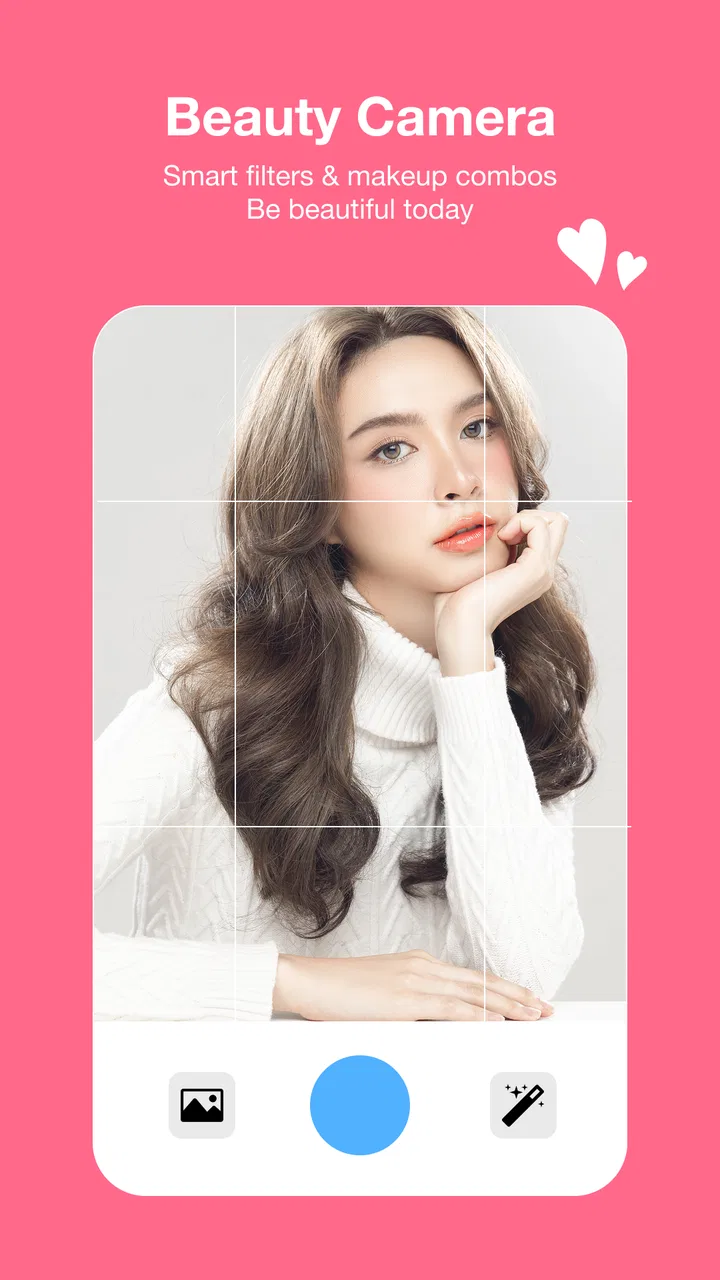
Sweet Selfie Beauty Camera
- 4.3
- Rating
- 5.00M
- Installs
- Free
- Price

 Analysis by App-foxy
When I want a quick portrait that looks more polished than the untouched camera image, I usually prefer an editor that keeps the process simple. Sweet Selfie Beauty Camera fits that role well. It is a free beauty app from Thekla Neala, built around taking selfies and adjusting them with AI-assisted editing rather than asking me to learn a complicated photo workflow. After using it as an everyday portrait tool, I found it most useful when I wanted a presentable image quickly, especially for a profile picture, a casual post, or a photo shared with friends.
The app belongs to the beauty category, and its focus is clear from the first session: take a face photo, apply a look, make a few corrections, and save the result. That narrow purpose is a strength because I do not have to search through a large collection of unrelated editing tools. It is also a limitation for anyone looking for detailed control over landscapes, product photos, color grading, or serious retouching. This is a selfie-first editor, and I think it works best when I treat it that way.
My main advice is to use Sweet Selfie as a finishing tool, not as a substitute for good lighting. A clean background, a camera placed near eye level, and soft light still make a bigger difference than any filter. The app can improve the presentation of a portrait, but it cannot fully rescue a badly framed or heavily shadowed image without making the result look artificial.
You May Also Like

 AccuWeather: Weather Radar
AccuWeather Review: A Quick, Clear Forecast for Everyday Decisions
For everyday plans, the best forecast is the one you can understand quickly. AccuWeather makes rain timing, radar, and local conditions easy to act on, with a few trade-offs.

 Hill Climb Racing
Why Hill Climb Racing Still Turns Crashes Into One More Run
A tiny car, a bumpy hill and one more upgrade: Hill Climb Racing keeps resurfacing because its simple chaos makes every near-miss feel personal.

 AliExpress - Shopping App
AliExpress Makes Global Shopping Feel Personal, but Shoppers Bear the Risk
AliExpress turns a global marketplace into a pocket-sized discovery engine. Its reach is useful, its shopping loop compelling, and its trade-offs easy to miss.

 Lords Mobile: Kingdom Wars
Lords Mobile Is a Kingdom-Building Routine, Not a Quick Match
A case-by-case verdict on the building, battles, device demands, and social commitments that make Lords Mobile rewarding for some players and exhausting for others.

 PDF Scanner app - TapScanner
TapScanner Makes Paperwork Easier to Capture, Check, and Share
TapScanner makes scanning with a phone feel less like a rescue operation and more like a dependable step in getting work done. Its capture tools are useful, though not flawless.

 Block Blast!
 Shows How Much a Puzzle Game Can Leave Out
A quiet grid game shows why puzzle players increasingly value instant clarity, repeatable skill and low-pressure play—and where the genre still needs to catch up.
More From Our News Desk
View All News


Building a reliable selfie workflow
I focus on the small decisions that make a selfie-editing session dependable: choosing a clear source image, keeping a natural version, and checking the result before sharing. A useful next step is to decide in advance where the finished portrait will be used, since a profile picture calls for a different level of polish than a playful post. That simple distinction helps me choose edits with more confidence.
Start with the photo, not the effect
My baseline workflow is deliberately short. I first choose a bright location and hold the phone far enough away to avoid an exaggerated close-up. I then take several similar shots instead of trying to perfect one capture. This gives the editor better material to work with and lets me compare expressions before I begin adjusting the face. In practice, a relaxed expression usually looks more convincing than a strong filter applied to a stiff pose.
Once I have a suitable image, I make the smallest correction that solves the problem I can actually see. If the skin looks uneven, I avoid immediately pushing every beauty control to its highest level. If the face shape looks distorted, I undo that change rather than trying to compensate with another effect. This habit matters because AI-assisted beauty tools can make several changes at once, and the result can become less natural before I notice what caused it.
I also recommend checking the full image after every major adjustment. A close preview can make skin smoothing look attractive while hiding softened hair, blurred clothing edges, or an oddly shaped jawline. Looking at the portrait at its normal viewing size gives me a better sense of whether the edit will feel believable when someone else sees it in a feed or messaging app.
Use repeatable choices for everyday portraits
For a profile image, I keep the workflow conservative: one clear face, a simple background, and a modest beauty treatment. For a social post, I may choose a more noticeable style, but I still compare it with the original before saving. The original image is my reference point. Without that comparison, it is easy to mistake “different” for “better.”
A useful routine is to create one natural-looking version first and then experiment with a stronger version separately. The natural edit becomes the dependable option for work profiles, family conversations, or situations where I want to remain recognizable. The more stylized version can suit a casual post. This two-version habit is more practical than trying to find one setting that works for every context.
Another small but important step is checking the crop before sharing. Beauty edits draw attention to the face, so an awkward crop becomes more noticeable. I look at the space above the head, the position of the eyes, and whether the shoulders are cut at an uncomfortable point. The app can improve facial presentation, but composition still depends on my original framing and final crop.
What the app feels like in normal use
The experience is approachable for someone who wants quick results rather than a photography lesson. I do not need to understand curves, masks, or layered editing to produce a usable selfie. That makes it suitable for casual users, teenagers with an age rating of Everyone, and anyone who wants a straightforward beauty camera on a compatible Android phone.
At the same time, the simplicity means I should not expect the same precision as a dedicated photo editor. A traditional editor is usually better when I want to correct one small area without affecting nearby details. Sweet Selfie is more appealing when speed and appearance matter more than pixel-level control. That difference is central to deciding whether it belongs on your phone.
Settings worth checking before editing
My first check is the strength of the beauty treatment. I prefer starting low and increasing it gradually, because the first preview can be flattering while still being too strong for the final image. I pay special attention to the eyes, nose, jaw, and skin texture. If several facial areas change together, I reduce the overall intensity instead of correcting each part blindly.
I also check whether the selected look matches the lighting in the original photo. A bright, soft portrait can tolerate a cleaner or more polished style, while a dim indoor image often looks more artificial after heavy smoothing. In that situation, I would rather retake the picture near a window than keep adding effects. This is one of the app’s practical trade-offs: it makes editing easy, but easy editing can encourage me to fix a capture that should simply be replaced.
Before saving, I inspect fine details around hair, glasses, earrings, and the outline of the face. These areas reveal aggressive processing quickly. If an effect makes the hairline look painted or changes the apparent size of an accessory, I step back to a lighter treatment. This check takes only a moment and prevents the most common “beauty app” look: a smooth face surrounded by visibly inconsistent edges.
Because the app is free to download and use, it is worth paying attention to any premium prompt that appears during the editing process. In-app purchases range from $9.99 to $99.99 per item, so I would not tap through a purchase screen casually. I recommend testing the free workflow first and deciding whether the available controls already solve your needs. If they do, there is little reason to pay simply because a more elaborate option is presented.
How I decide whether an edit is ready
I use three quick tests. First, I zoom out and ask whether the portrait still looks like me. Second, I compare it with the original to identify exactly what improved. Third, I imagine seeing the image again after a week. If the effect is so strong that I would need to explain the editing, I usually reduce it.
This approach is especially helpful with AI-based adjustments. AI can make a face look balanced according to a visual pattern, but personal identity is not a mathematical ideal. A slightly uneven smile, a small line, or natural skin texture may be part of what makes the photo feel real. I prefer keeping those details when removing them does not solve a specific problem.
Faster patterns for busy moments
Sweet Selfie becomes more useful when I standardize the decisions I make before opening it. I keep one dependable lighting spot in mind, use a familiar camera angle, and take a short series of expressions. That reduces the time spent trying to repair poor images. The app then becomes the last step in a repeatable routine rather than a rescue tool.
For a quick messaging profile update, my pattern is simple: choose the sharpest image, apply a restrained beauty adjustment, check the face outline, and save. For a social post, I take a little more time to compare the natural and stylized versions. For an image that will be used in a professional setting, I usually skip dramatic effects and focus on clarity, framing, and recognition.
One non-obvious advantage of this approach is consistency. If I use a similar level of editing across several portraits, my images feel like they belong to the same person and the same account. Constantly switching from a natural face to an exaggerated reshaped face can make a profile look uneven. The app gives me room to experiment, but a repeatable personal standard produces better results than chasing every available look.
I also avoid editing while distracted. A short review before saving is enough to catch a face that has been made too narrow, skin that has lost all texture, or a background that now competes with the subject. When I am in a hurry, I would rather use a modest edit I can trust than a dramatic one I have not checked carefully.
A realistic everyday scenario
Imagine I am leaving for a casual dinner and realize my current profile photo is outdated. I stand near a window, keep the phone slightly above eye level, and take several relaxed portraits. In Sweet Selfie, I choose the clearest frame, apply a light beauty treatment, and inspect the eyes and jawline at normal size. I save the natural version first. If I want something more playful for a temporary post, I make a second version with a stronger style, but I do not replace the dependable portrait with it.
This scenario shows where the app earns its place. I do not need a long editing session, and I am not trying to produce a studio-quality headshot. I simply want a clean, flattering image that still resembles me. If the lighting is poor or the background is distracting, I retake the photo rather than expecting the app to solve every issue.
Advanced limits that experienced users should understand
The biggest limitation is the balance between convenience and control. AI-assisted beauty editing can be fast because it makes decisions for me, but that also means the result may not match my intention perfectly. A correction that improves one facial feature can subtly alter another. I therefore treat automatic enhancement as a starting point and judge the whole portrait, not just the most attractive part of the preview.
Another limitation is that strong processing can reduce individuality. The more I smooth and reshape, the less useful the photo becomes for situations where people need to recognize me accurately. This matters for professional profiles, identification-related contexts, and any image where authenticity is more important than glamour. In those cases, a conventional editor with selective adjustments—or no beauty editing at all—is the better choice.
I would also skip this app if my main goal is advanced photography. Someone who regularly edits raw images, builds layered compositions, removes complex objects, or controls color with precision will likely outgrow a selfie-focused beauty camera. A full photo editor takes longer to learn, but it offers more predictable control. Sweet Selfie is not a replacement for that kind of tool; it is a faster option for face-centered pictures.
Privacy-conscious users should make their own comfort decision before using any camera or editing app. I would review the app’s permission prompts on my device and grant only what is needed for the tasks I intend to perform. I would also avoid importing sensitive images simply because an effect looks interesting. That is not a criticism unique to this app; it is a sensible habit whenever personal portraits are involved.
Who will get the most from it
I think the app is a good match for people who want a quick selfie editor with an approachable learning curve. It suits users who frequently update profile photos, share casual portraits, or prefer guided enhancement over manual retouching. It is also useful for someone who finds professional photo software unnecessarily complicated for a simple face edit.
The audience size suggests that this use case is widely understood: the app has passed one million installs and holds a 4.1 average from around 5.8 thousand ratings. Those figures do not replace personal testing, but they do indicate that Sweet Selfie has found a substantial audience for its straightforward beauty-camera approach.
I would be more cautious about recommending it to photographers, designers, or users who want complete control over every adjustment. I would also hesitate if someone dislikes the polished beauty-camera style altogether. In that case, the regular phone camera or a subtle manual editor may produce a result that feels more honest and easier to manage.
Device and value considerations
The app is free, and its listed minimum operating system is Android 7.0, which makes it accessible on a broad range of Android devices. The current version is V1.0.23. I still think the quality of the experience will depend on the phone’s camera, screen, and available resources, because an editing preview can look different on a small or older display than it does when shared elsewhere.
The free starting point is valuable because I can judge the workflow before spending anything. The presence of item-based purchases means I would treat premium tools as optional rather than necessary. For a person who takes occasional selfies, the free experience may be enough. Someone who edits portraits frequently may consider paying only after identifying a specific feature that genuinely saves time, not merely because the app offers a larger selection.
My verdict after making it part of a routine
Sweet Selfie Beauty Camera works best when I use it with restraint and a repeatable process. Its strengths are speed, accessibility, and a clear focus on portrait enhancement. I can move from an ordinary selfie to a shareable image without dealing with the complexity of a full editing suite. The app is especially convincing for casual social photos and profile updates where a polished appearance matters but perfect technical control does not.
Its weaknesses are equally clear. Automatic beauty adjustments can become artificial, detailed corrections are not its main purpose, and the purchase range deserves attention before I commit to anything. The app cannot replace good lighting, thoughtful framing, or a professional editor when those are the real requirements.
For me, the best way to recommend it is with one condition: keep the original, start with the lightest useful edit, and compare before saving. Used that way, Sweet Selfie is a practical free beauty app rather than a filter button I tap without thinking. Thekla Neala has made something approachable for everyday portraits, and the Everyone rating supports its broad accessibility. If your goal is fast, flattering selfies, it is worth trying; if your goal is precise photographic work, I would choose a more advanced alternative instead.
FAQs for Sweet Selfie Beauty Camera
01What features does Sweet Selfie Beauty Camera offer?
Sweet Selfie Beauty Camera provides a variety of features to enhance your photos, including real-time beautification, a rich array of filters, and makeup effects. It also offers tools for teeth whitening, face slimming, and eye enhancement, ensuring users can achieve their desired look in just a few taps.
02Is Sweet Selfie Beauty Camera free to use?
The app offers a free version with basic features, but some advanced options require in-app purchases or a subscription. This allows users to access premium filters, effects, and additional editing tools. Be sure to check the pricing details in the app store to understand what is included in each package.
03Can Sweet Selfie Beauty Camera be used offline?
Yes, Sweet Selfie Beauty Camera can be used offline for taking photos and applying basic edits. However, accessing certain features, updates, or sharing your photos directly to social media may require an internet connection. It’s best to explore the app’s capabilities both online and offline to maximize its use.
04How does Sweet Selfie Beauty Camera ensure privacy and security?
Sweet Selfie Beauty Camera takes user privacy seriously, following standard privacy policies. The app requests permissions necessary for camera and storage access, but it’s important to review these permissions. Regular updates ensure that any security vulnerabilities are addressed, keeping user data protected.
05What are the system requirements for Sweet Selfie Beauty Camera?
Sweet Selfie Beauty Camera requires Android version 5.0 or higher, or iOS 10.0 or later. It is optimized for both smartphones and tablets, providing a seamless experience across devices. Ensure your device has enough storage space for the app and its updates to function smoothly.
Pros
- User-friendly interface simplifies editing.
- Wide variety of filters and effects.
- Real-time beauty adjustments available.
- Supports high-quality image exports.
- Frequent updates with new features.
Cons
- Contains in-app purchases for advanced tools.
- Ad interruptions can be frequent.
- Limited editing features in free version.
- Large app size may affect storage.
- Some effects require internet connection.

Sweet Selfie Beauty Camera
Gallery